Compare looks side-by-side on one image
Render one image through several presets in a single command. Useful when you're choosing between presets or auditioning a preset against a base reference.
Prerequisites
- One input image.
- Two or more
.tomlpresets.
Steps
agx multi-apply \
  -i example/images/cinque_terre_manarola.raf \
  -p example/presets/golden-hour.toml \
     example/presets/moody-dark.toml \
     example/presets/cool-blue.toml \
  -o /tmp/looks
AgX decodes the image once and renders it through each preset. The output directory ends up with one file per preset, named after the source image with the preset basename appended.
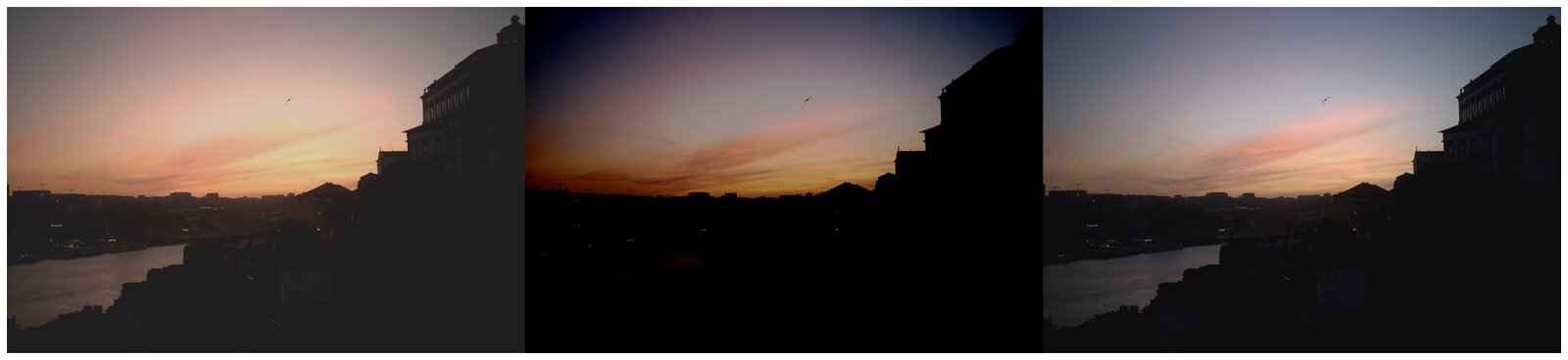
Variations
Include an unprocessed reference render alongside the preset results:
agx multi-apply \
  -i example/images/cinque_terre_manarola.raf \
  -p example/presets/golden-hour.toml \
     example/presets/moody-dark.toml \
  -o /tmp/looks \
  --noop
The --noop flag adds a no-preset render so you can compare each preset against the unaltered source.
Run preset renders in parallel (default is 1, since each render is already internally parallelised across pixels):
agx multi-apply \
  -i example/images/cinque_terre_manarola.raf \
  -p example/presets/golden-hour.toml \
     example/presets/moody-dark.toml \
     example/presets/cool-blue.toml \
     example/presets/high-contrast.toml \
  -o /tmp/looks \
  --jobs 4
See also
- Apply a preset to a folder — render many images through one preset.
- Write your own preset — author a preset to add to your comparison set.
- CLI reference